





Go to Android platform Display platforms icon
Go to Android platform Go to Windows platform Go to Mac platform Go to iOS platform
برنامج دمج الصور‎ icon

برنامج دمج الصور‎

2.0
4.2 18 reviews
46.5 k downloads
security security

Powerful image editing tool

Advertisement
Remove ads and more with Turbo
Advertisement
Remove ads and more with Turbo
Andrés López icon
Reviewed by
Andrés López
Content Editor
Andrés López is part of Uptodown's in-house Editorial Team. Translated by Uptodown Localization Team

برنامج دمج الصور‎ is a photo editing app that allows you to easily adjust any image's parameters. You will also have over a hundred templates at your disposal, and you can create collages of up to 20 photos. With this many features at your fingertips, you can turn your Android device into an excellent image editing tool.

Great number of editing tools

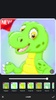
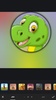
With برنامج دمج الصور‎, you can easily edit any photo stored in your device's memory. You will have a wide range of tools to help you crop, resize, or rotate any image. You can also adjust contrast, brightness, or color intensity. Other tools allow you to apply filters, add stickers or text, or use different frames for your image. In total, there are more than 50 different frames to decorate your pictures.

Advertisement
Remove ads and more with Turbo

Simple collage creation

Although برنامج دمج الصور‎ allows you to edit images, perhaps the most interesting feature is the one that will enable you to create collages from your photos. You can select up to 20 pictures and give them more than a hundred different frames. Each frame is also fully customizable. Simply adjust each image's size and design your frame with ease. Moreover, you can edit and adjust each photo you insert into the frame.

Powerful and free image editor

Download the برنامج دمج الصور‎ APK if you are looking for a top-quality image editing tool that is completely free of charge. This app offers a simple way to edit your photos and create collages. It also takes up very little space in the device's memory and consumes very few resources, making it ideal for mid-range or low-end Android devices.

Requirements (Latest version)

  • Android 4.4 or higher required

Information about برنامج دمج الصور‎ 2.0

Basic information

Developer Thru Labs
Category Photography
Rating +3
Languages English
45 more

Distribution model

Pricing Free
License Proprietary
Copyright © 2026 Thru Labs
Why is this app published on Uptodown? (More information)

Security and privacy

Required permissions
See 12 permissions
Certificate signature 71122417b4c44313bf89312e8ff9466e
See security and antivirus report

Download info

Downloads 46,489
Date Mar 17, 2025
File type APK
Size 53.17 MB
SHA256 a7edfa88251358dbfb33316a9b1b97928ae5d8e813988aa8e0394f058dba73f5

Technical details

Package Name com.teckHm.damjsuwarKitaba
Advertisement
Remove ads and more with Turbo

Older versions

apk 1.0.1 Android + 5.0 May 9, 2024

Rate this App

Review the app
برنامج دمج الصور‎ icon

Rating

4.2
5
4
3
2
1
18 reviews

Comments

See more
fatbluespider15030 icon
fatbluespider15030
in 2025

Good

3
Reply
calmredbanana62351 icon
calmredbanana62351
in 2025

Good

3
Reply
See more

It may interest you

Advertisement
Remove ads and more with Turbo
Collage Maker icon
Edit your favorite photos and create fun collages
Meitu icon
Filters and effects to give your photos a unique look
PixelLab icon
Apply text effects to your images
B612 icon
Edit your selfies with AI, filters and more
Hypic icon
An innovative photo-retouching tool
BeautyCam icon
Edit your photos with AI and dozens of features
Evoto icon
A powerful portable image editing suite
Polarr icon
A professional photography editor
TikTok icon
Welcome to the global community of short videos
CapCut icon
The official video-editing app from TikTok
YouTube icon
All the content you could want on your cell phone
Spotify icon
Take your music anywhere
Prime Video icon
Stream tons of movies and series
Blurrr icon
Edit videos professionally
Netflix icon
All Netflix movies and series now on Android
MX Player icon
Play any video file on your device